Codex and Claude Code usage, in one place
Melvu's Usage page adds up tokens and cost for every agent you run in it: Codex, Claude Code, OpenCode, API-key providers and local models. See the trend, find the expensive sessions and keep an eye on your plan limits.
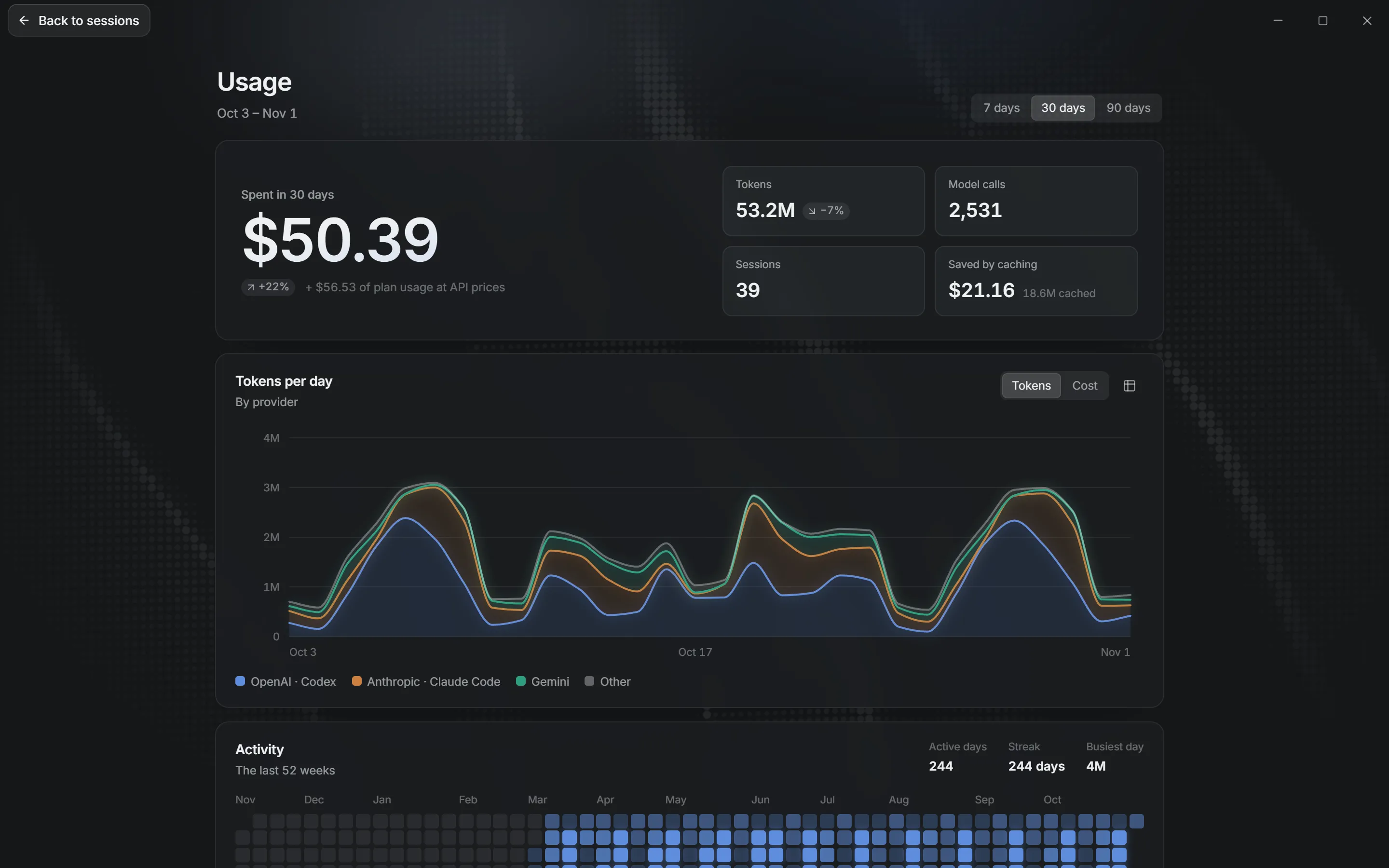
What the Usage page shows
- Totals and trend
- Tokens and cost over 7, 30 or 90 days, stacked by provider.
- A year of activity
- A 52-week grid shows which days you worked with agents.
- Breakdowns
- By model, provider, project and session. Click a session to open it.
- Every agent
- Codex, Claude Code and OpenCode chats count as they run, including earlier chats Melvu ran.
Plan usage is not spend
A chat on your ChatGPT or Claude plan doesn't cost extra per token, so Melvu shows it as plan usage at its API-equivalent value and never adds it to your spend. API-key chats count as spend, priced per model call. Local models are free.
Prices come from the public LiteLLM price list, refreshed daily, with a bundled copy for when you're offline. When a provider reports its own cost, Melvu uses that.
Your limits while you work
Beside the context ring in the composer, a bar shows how much of your 5-hour or weekly plan limit is left. Click it to switch between the two.
Frequently asked questions
How do I see my Codex usage in Melvu?
Open Usage from the account menu. Codex chats appear by day, model, project and session, beside every other agent. For your plan's remaining limit, look at the bar beside the context ring in the composer.
Does it count usage from outside Melvu?
No. The Usage page counts the chats Melvu runs, including earlier Claude Code, Codex and OpenCode chats it ran. Sessions you start in a vendor's own app are not included.
How is cost calculated?
Melvu prices each model call from the public LiteLLM price list, refreshed daily with a bundled copy for offline use. When a provider reports its own cost, that number wins.
Is my usage data uploaded?
No. The usage record lives in a database on your computer. Melvu only downloads the public price list.