A desktop GUI for Claude Code
Melvu gives Claude Code a full desktop UI on Windows, macOS and Linux. It runs your own Claude Code with your own sign-in, then adds plan review, readable diffs, a built-in browser and helper agents around it.
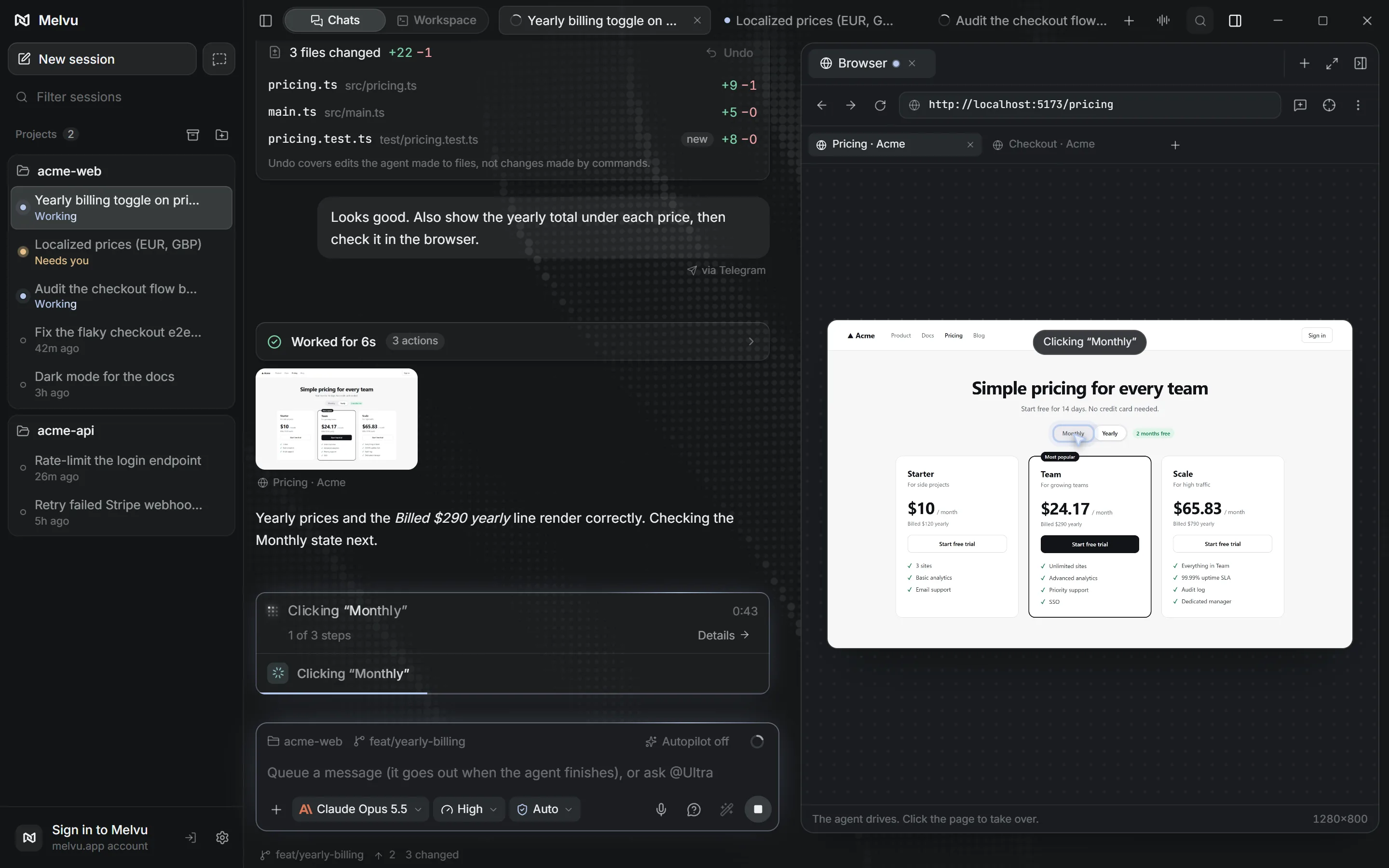
Your Claude Code, in a window
Melvu doesn't replace Claude Code. It starts the Claude Code CLI you installed and talks to it the way an editor extension would, so Claude Code keeps its own reasoning, tools and your CLAUDE.md.
Your Claude Pro or Max plan applies as usual through Claude Code's own login. If you prefer, an Anthropic API key works too and is billed per use by Anthropic.
What the Claude Code UI adds
- Plan review
- Claude Code's plan appears as a card you can read, question and approve before any file changes.
- Changes you can undo
- Every edit shows as a diff per file, with Undo, in a Changes card in the chat.
- Side panel
- Run details, changed files, a file explorer and the browser sit beside the conversation.
- Helper agents
- Sub-chats run in parallel under the main chat, on Claude or on another provider.
- Plan limits in view
- A bar in the composer shows what's left of your 5-hour or weekly limit.
- Permission modes
- Ask, Auto, Plan or Full access, per chat. Claude Code's permission requests are checked against it.
Claude Code beside Codex and other agents
Keep Claude Code chats next to Codex, Grok Build, Antigravity, OpenCode or a local model in the same project list. Switching a chat to another agent hands over a summary of the conversation so far, and your Melvu skills and MCP servers work in all of them.
Set it up in three steps
- Install Claude Code from Anthropic and run
claudeonce to sign in. - Install Melvu and sign in to your Melvu account. Settings → Providers confirms Claude Code is found and signed in, and fixes common setup problems in one click.
- Open a project folder, pick a Claude model in the composer and start a chat.
Frequently asked questions
Is Melvu the official Claude Code app?
No. Melvu is an independent app and isn't affiliated with Anthropic. Anthropic's own Claude desktop app also includes Claude Code. Melvu is for running Claude Code beside Codex and other agents in one window, with plan review, a built-in browser and helper agents on any provider.
Does Melvu use my Claude subscription?
Yes. Melvu runs the Claude Code CLI with the sign-in you already have, so your plan's limits apply as usual. An Anthropic API key also works and is billed per use by Anthropic.
Does Melvu change how Claude Code works?
Claude Code still plans and edits in its own way and reads your CLAUDE.md. When it asks for permission, Melvu shows the request and checks it against the permission mode you chose for that chat.
Which systems does the Claude Code GUI run on?
Windows on x64, macOS on Apple Silicon and Linux on x64. Claude Code itself must be installed on the same computer.