Codex in a desktop app on Linux and Windows
Melvu runs OpenAI's Codex in a desktop app on Linux, Windows and macOS. Sign in with your ChatGPT plan as usual, then review Codex's plan, its diffs and its work in a built-in browser, all in one window.
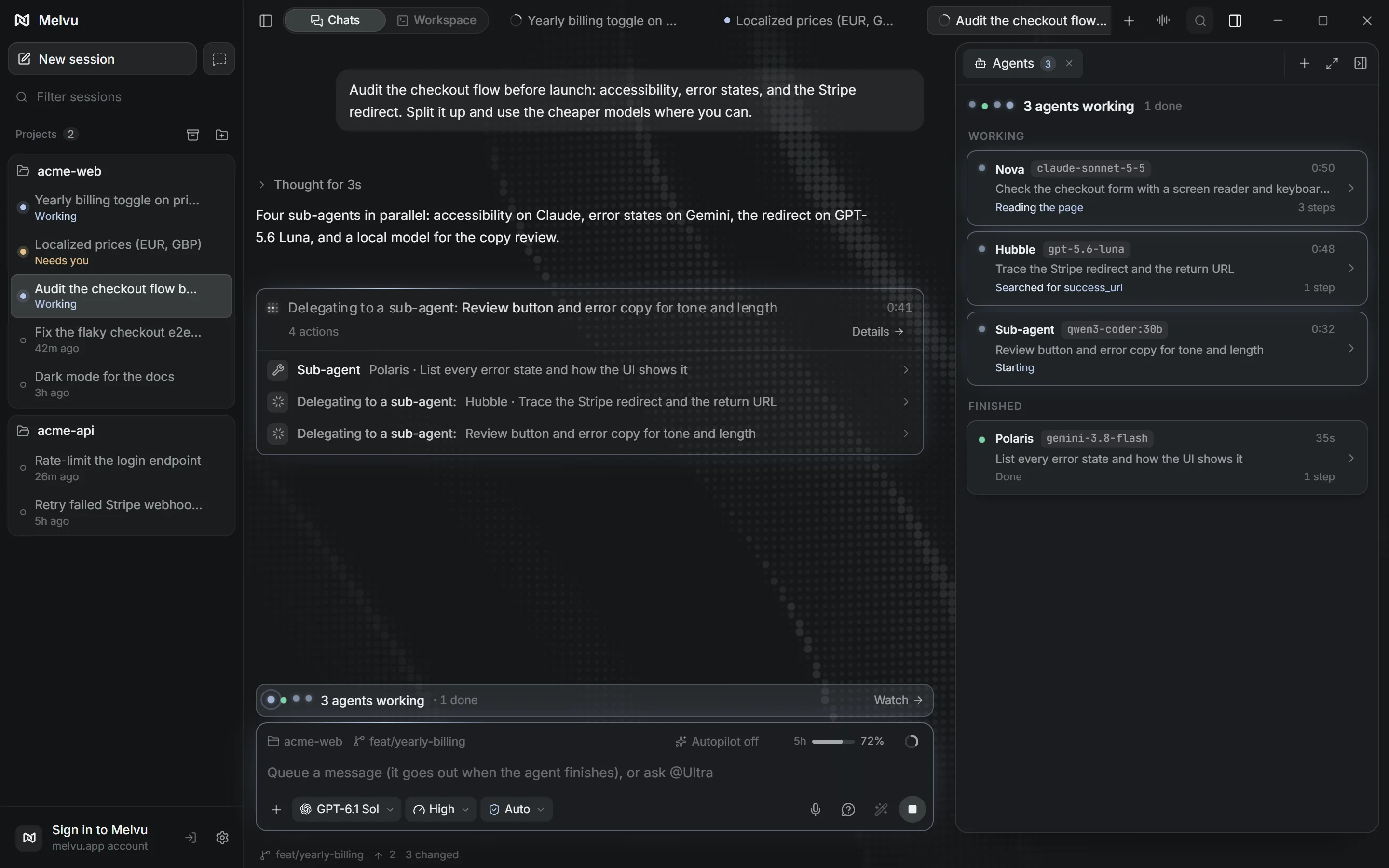
The same Codex, with your ChatGPT sign-in
Melvu starts the Codex CLI installed on your computer and drives it through Codex's own app server. Codex keeps its own behavior and reads your AGENTS.md; your ChatGPT plan's Codex limits apply. An OpenAI API key also works and is billed per use by OpenAI.
Linux, Windows and macOS builds
- Linux
- An x64 AppImage for most desktop distributions.
- Windows
- An x64 installer. Melvu runs the Windows build of the Codex CLI you installed.
- macOS
- A disk image for Apple Silicon Macs.
Every build updates itself in place when a new version is released.
What Melvu adds around Codex
- Plans first
- Codex's plan shows as a card you approve before files change.
- Helper agents
- Codex can hand parts of a task to sub-chats on Codex, Claude or a local model.
- Built-in browser
- Codex opens your dev server in Melvu's browser while you watch, and you can take control.
- Usage and limits
- Codex tokens and cost on the Usage page, and your 5-hour or weekly limit in the composer.
Set it up in three steps
- Install the Codex CLI, for example with
npm install -g @openai/codex, and runcodexonce to sign in with ChatGPT. - Install Melvu for your system and sign in to your Melvu account. Settings → Providers confirms Codex is found and signed in.
- Open a project folder, pick a Codex model in the composer and start a chat.
Frequently asked questions
Does OpenAI have its own Codex app for Linux?
As of November 1, 2026, OpenAI's ChatGPT desktop app, which includes Codex, is available for macOS and Windows, with Linux in preview for Ubuntu, Debian and Fedora. Melvu is a separate app that runs Codex beside Claude Code and other agents in one window, and ships for Linux as one AppImage that runs across distributions, Arch included.
Does Melvu use my ChatGPT plan for Codex?
Yes. Melvu runs the Codex CLI with your ChatGPT sign-in, so your plan's Codex limits apply. An OpenAI API key also works and is billed per use by OpenAI.
Which Linux builds are available?
Melvu ships as an x64 AppImage. Arm64 Linux isn't supported yet.
Is Windows supported too?
Yes. Melvu has an x64 installer for Windows and runs the Codex CLI installed on that computer.