Melvu features
Everything in the desktop app for Claude Code, Codex and every coding agent: plan review, parallel agents on any provider, a built-in browser, local models, MCP, skills and memory, on Windows, macOS and Linux.
Windows, macOS (Apple Silicon), Linux
Agents and models
Melvu drives each vendor's own coding agent, so the agent behaves as it always does and your plan's limits apply. Your skills, MCP servers and the built-in browser work in all of them.
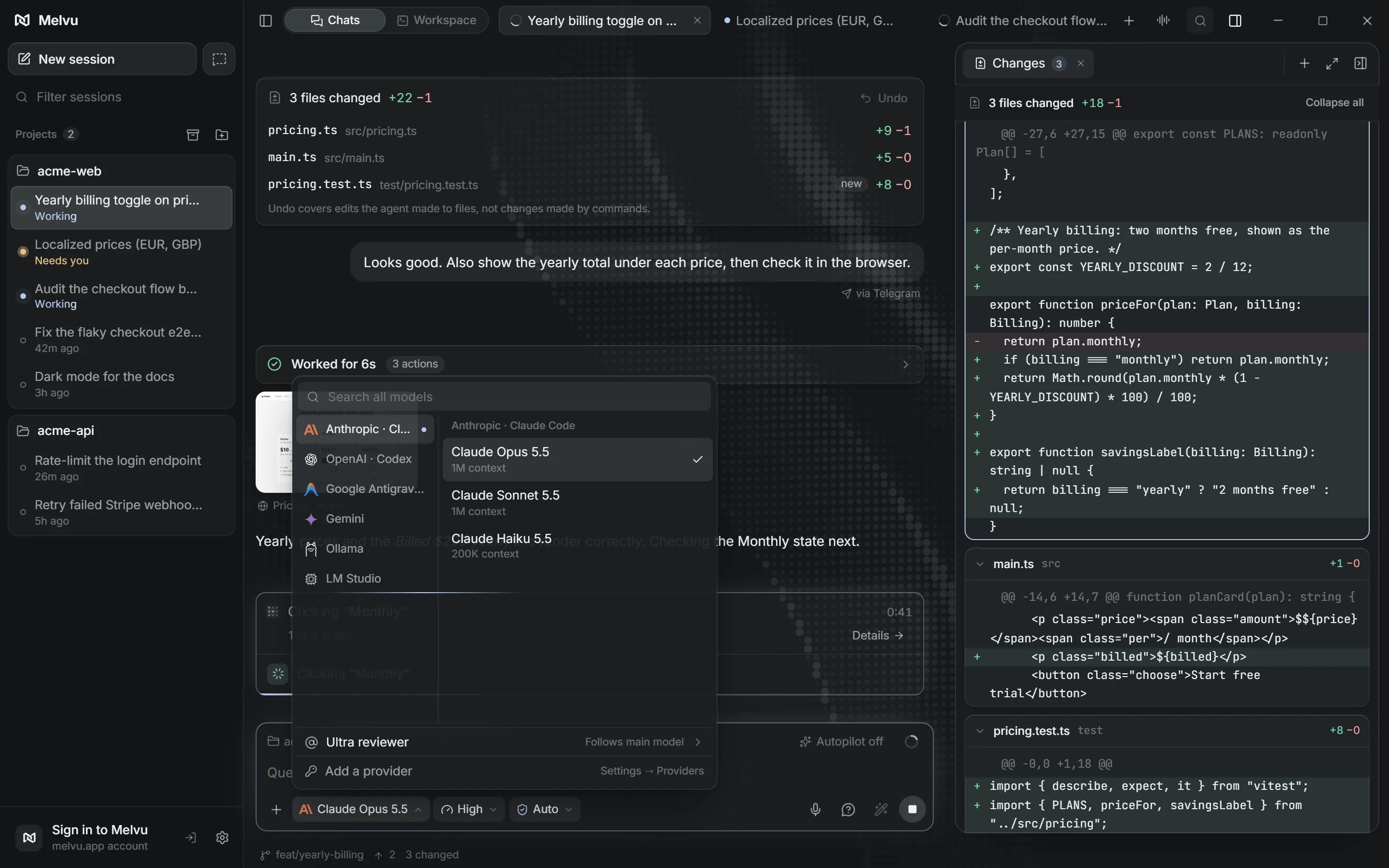
Vendors' own agents
Run with the sign-in and plan you already have.
- Claude Code
- Anthropic
- Codex
- OpenAI
- Cursor's agent CLI
- Cursor
- Grok Build
- xAI
- Antigravity
- OpenCode
- Any model provider
- Pi
- A minimal agent you extend yourself
- ACP registry agents
- Add more agents from the public ACP registry
- Any agent with a command line
- Run it in a terminal in the workspace grid, next to the rest
Models with an API key
Billed per use by each provider.
- Anthropic
- OpenAI
- Gemini
- xAI
- Microsoft Foundry
- DeepSeek
- Moonshot
- Z.AI
- MiniMax
- Xiaomi
- Sakana
- Hugging Face
- OpenRouter
- OpenCode
Local models with Ollama and LM Studio
Point Melvu at Ollama, LM Studio or any OpenAI-compatible server, on this computer or another one on your network. Local models are free to run.
- Live status
- See which servers answer and which models are loaded, with a hint when something is off.
- Ollama from Settings
- Pull and remove Ollama models without opening a terminal.
- Only models that can work
- Models that can't call tools stay out of the picker, so the agent can always edit files.
- Free in Usage
- Local chats count tokens but never cost, so your totals stay honest.
Switch agents mid-chat
Switching a chat to another agent hands over a short summary of the conversation, so the next agent picks up where the last one stopped.
Setup checks
To use your Claude or ChatGPT plan, Melvu runs the CLI you installed and signed in to. Settings → Providers checks each agent and fixes common setup problems in one click. API-key providers and local models need no CLI.
Plan and review
Review the plan before any code changes. Plans show up for every agent, Claude Code and Codex included.
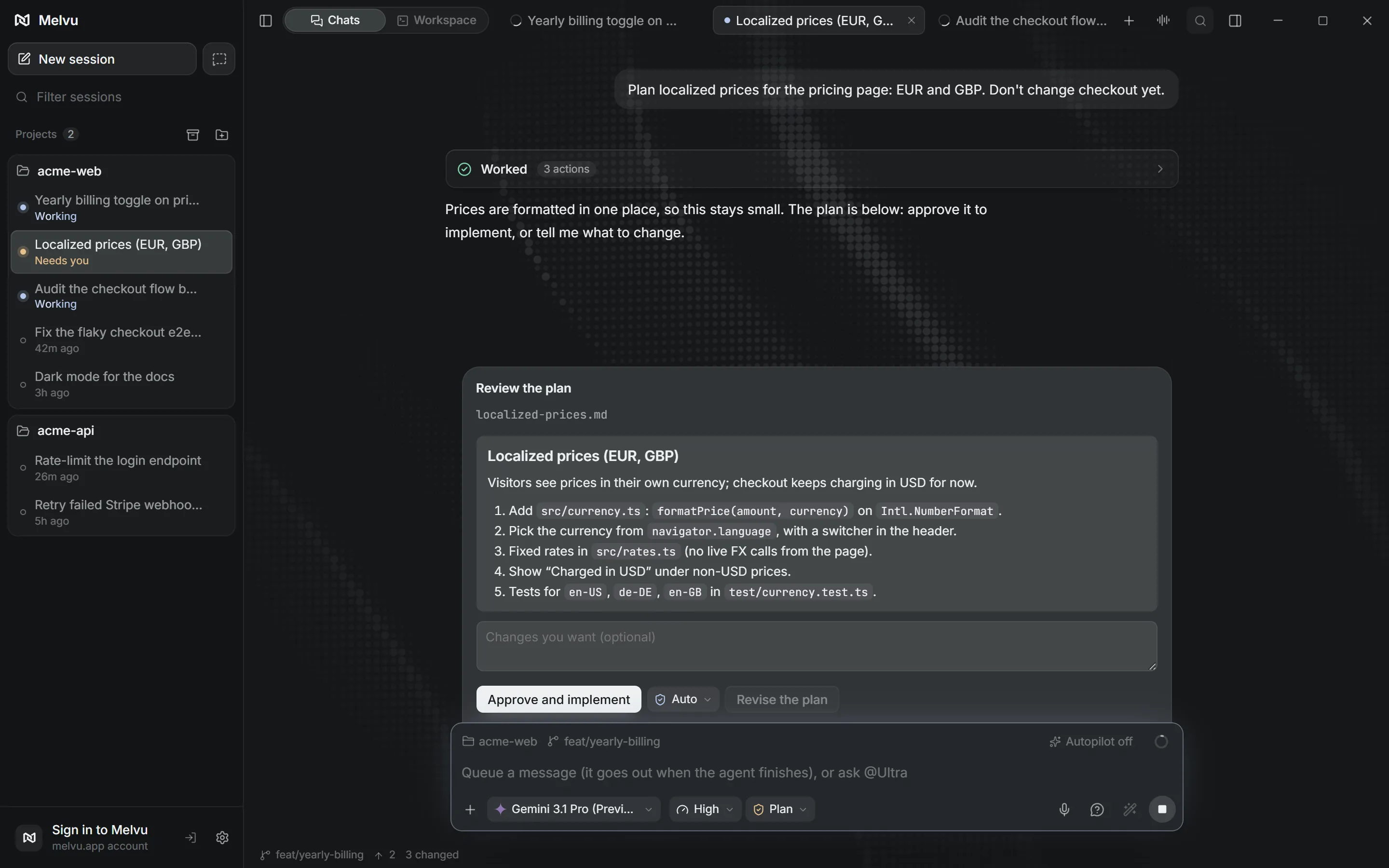
The agent plans
In Plan mode it can read the whole project but can only write its plan.
You approve it
Read the plan card, ask for changes, then approve. Your chat keeps its mode.
You review the changes
Every edit lands in a Changes card with a diff for each file and an Undo.
Permission modes
For each chat you pick how much the agent may do on its own: Ask, Auto, Plan or Full access. When a vendor's agent asks for permission, Melvu shows the request and checks it against the mode you chose.
Parallel work
Run helper agents in parallel, on any provider. The agent can split a task across helpers, and you choose how much it delegates.
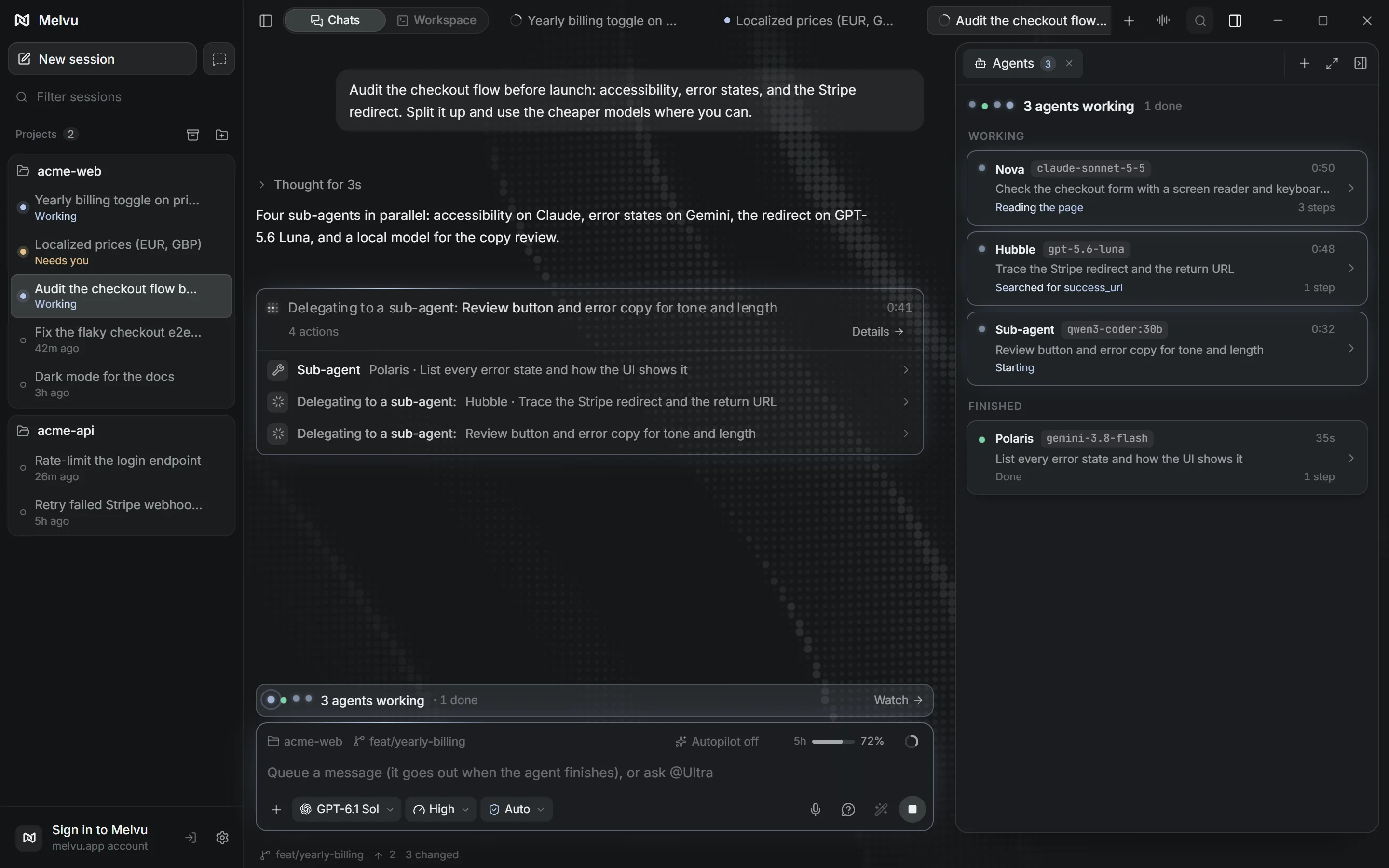
Live sub-chats
Each helper runs as a live sub-chat under the chat that started it.
Any provider
A helper can use a different provider: a Codex chat can hand research to Claude, or a quick check to a local model.
Built-in agents
Ready-made helpers for common jobs.
- Nova
- Implements in the current project.
- Polaris
- Explores the codebase, read-only.
- Hubble
- Researches with code and outside sources.
- Orbit
- Works on its own branch and opens a pull request.
- Eclipse and Prism
- Review security and verify each finding.
- Ultra
- Mentors read-only and reviews every turn in Autopilot.
Verify and browse
Check the result in a built-in browser. The agent opens your app in Melvu's own browser, clicks through it and fixes what it finds. You watch from the side panel next to the chat.
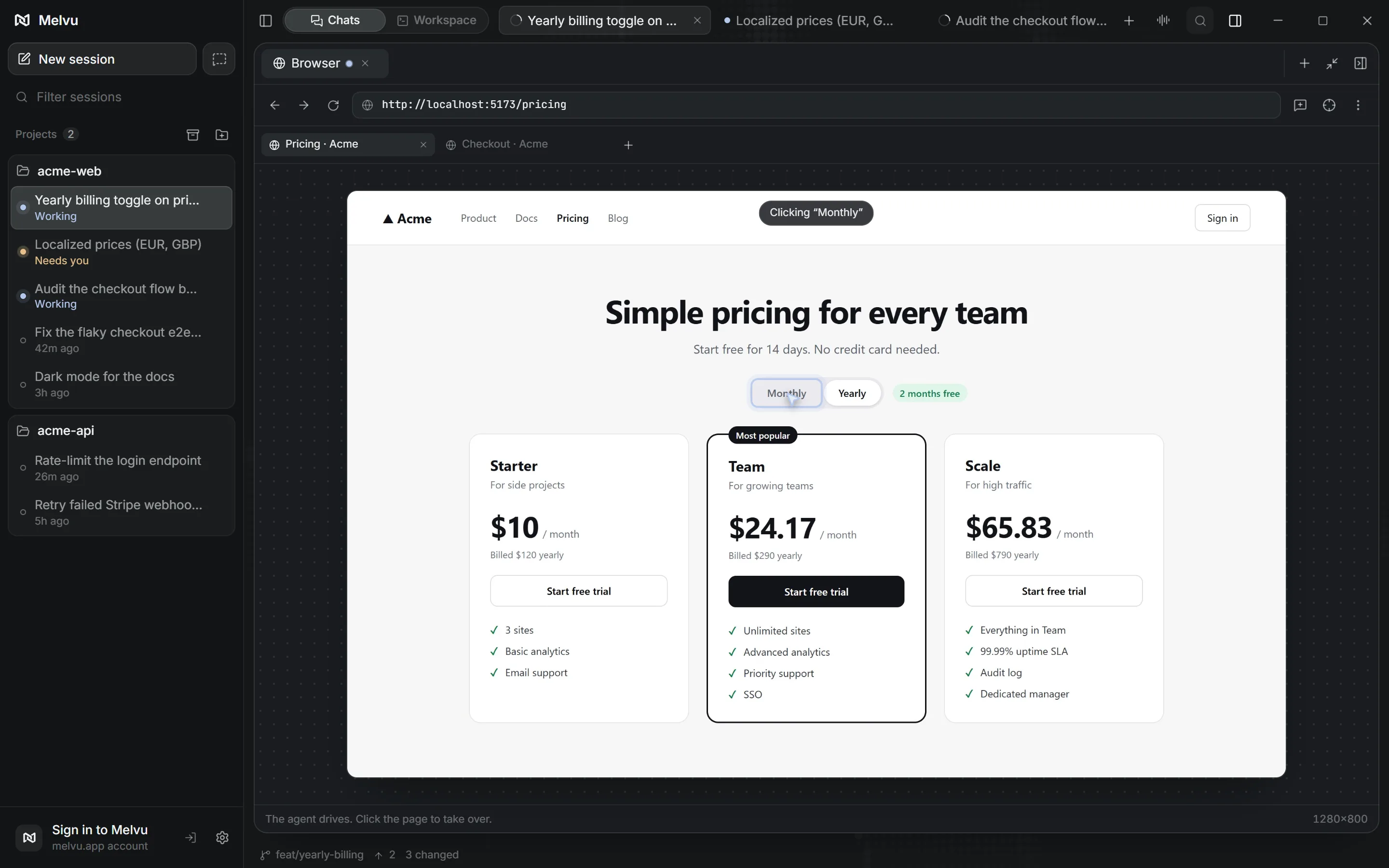
Watch it live
See every click and page the agent opens, as it happens.
Take control
Hand the page to yourself at any time, then give it back.
Phone and desktop sizes
Preview your dev server at either size without leaving the chat.
Sites you approve
In Ask mode, each new site asks once per chat. Bring in your browser's sign-ins when a page needs them.
Context: memory, MCP, skills
Set them up once in Melvu. They follow your chats from Claude Code to Codex to a local model, and Melvu remembers what matters about each project.
MCP servers
Add servers from the connectors hub in one click, sign in with OAuth where a server offers it, or import the ones you already set up. A project's own MCP config runs only after you approve it.
Skills
A skill is a SKILL.md the agent loads when a task matches, or when you type /name. Bundled, personal and per-project skills all work in the vendors' agents too.
Project memory
Melvu remembers your project's decisions, conventions and preferences across chats and agents, so you don't repeat yourself. Each reply shows what it recalled, and the Memory page lists everything it keeps, ready to edit or forget.
Image generation
Create images and assets right inside your chats: ask the agent for one, or type /image. Each image is saved into your project and shown in the chat.
Desktop power tools
A terminal grid and computer use, in the same window as your chats.
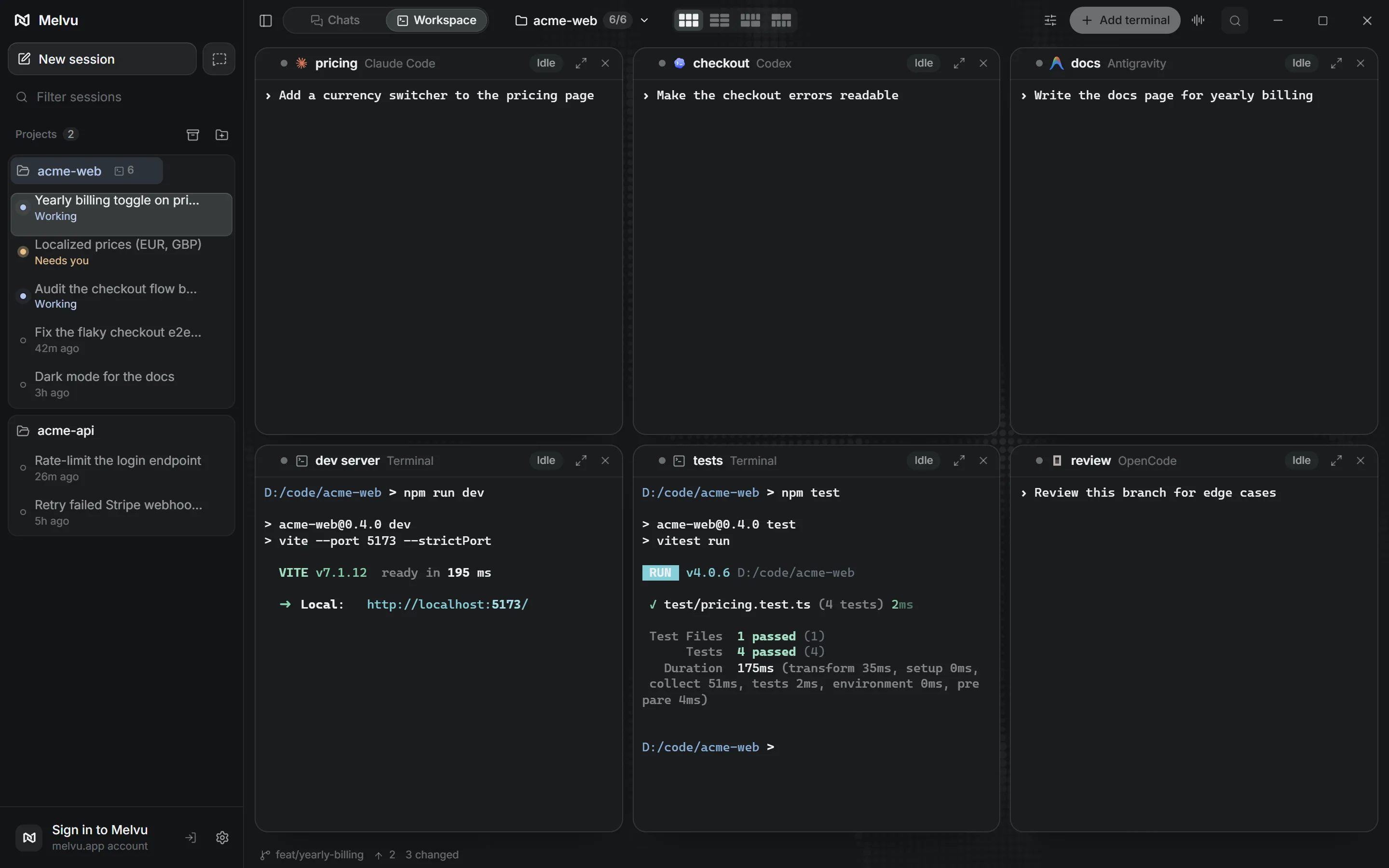
Terminal grid
Switch to Workspace mode for up to six real terminals per project. Each one runs Claude Code, Codex, Cursor, Grok Build, Antigravity, OpenCode, Aider and more, or a plain shell for any other agent with a command line.
Computer use
Type @computer and the agent can work in other apps on Windows and macOS 14 or later, and can work in the background so your window stays in front. Press Esc to stop it.
Remote and voice
Follow your agents from your phone, and talk instead of typing.
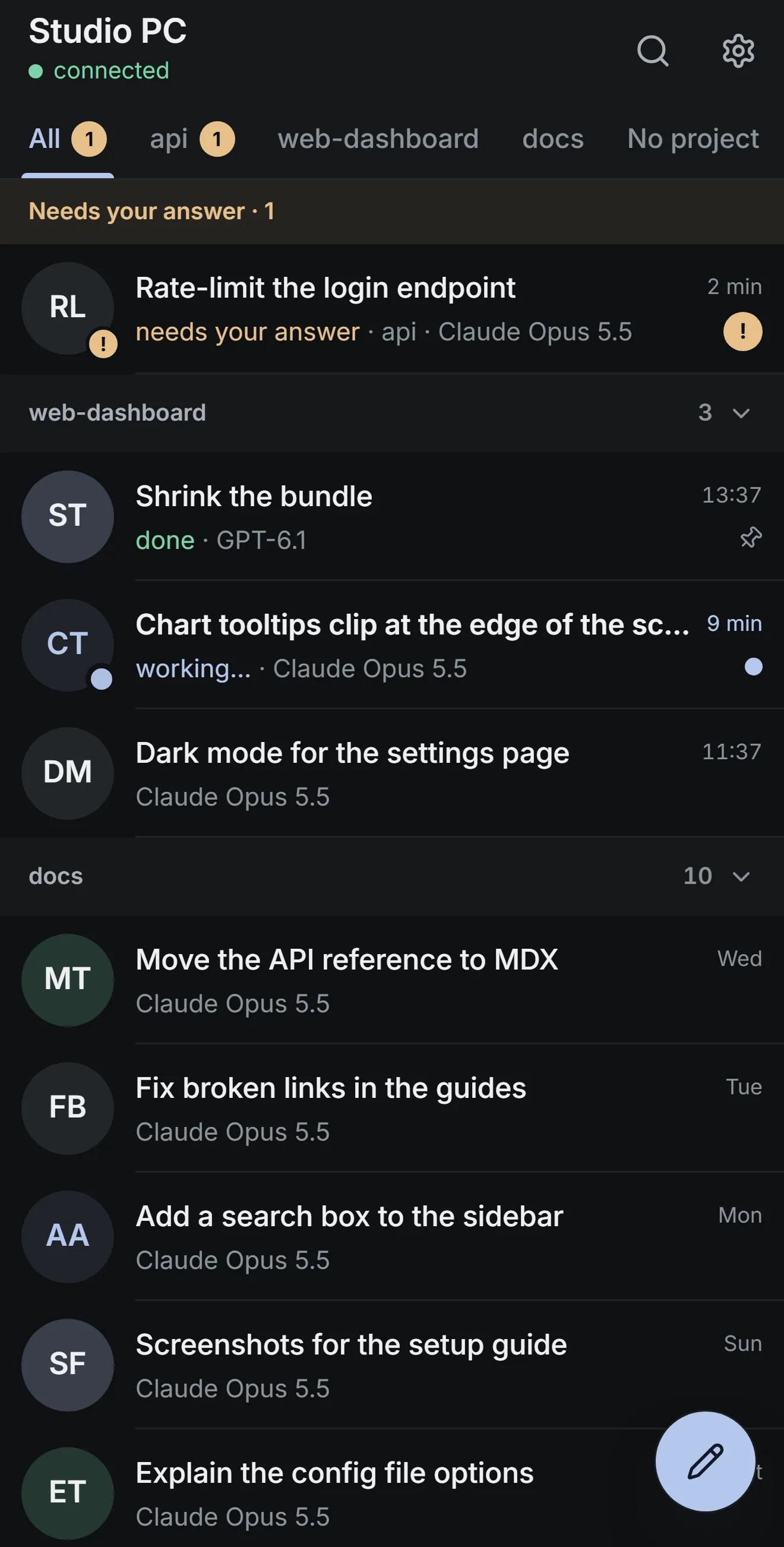
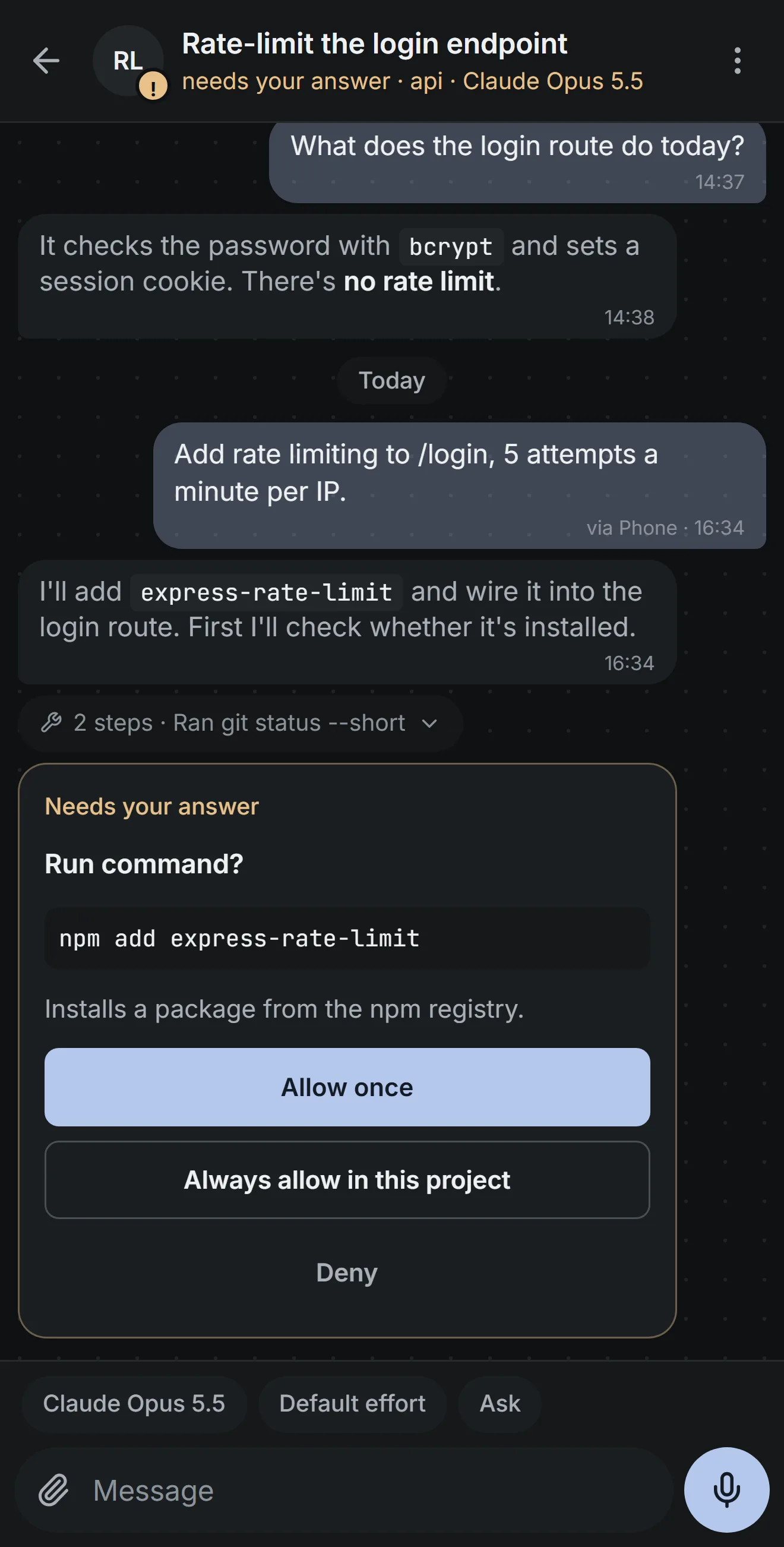
Phone remote
Pair your phone with a QR code and continue any chat from Melvu Remote, a web app for iPhone and Android. Approve tool calls, answer questions, start chats and follow progress, end-to-end encrypted.
Dictation
Hold Ctrl+Space and talk, in Melvu or any other app. Text appears as you speak, from a speech model on your computer or a provider you pick.
Ivy
Talk to Ivy, the voice assistant, to check on chats, start work and answer what an agent is waiting on. She uses your own OpenAI or Microsoft Foundry account.
Usage and privacy
Usage and cost across every agent, and a clear line on what leaves your computer.
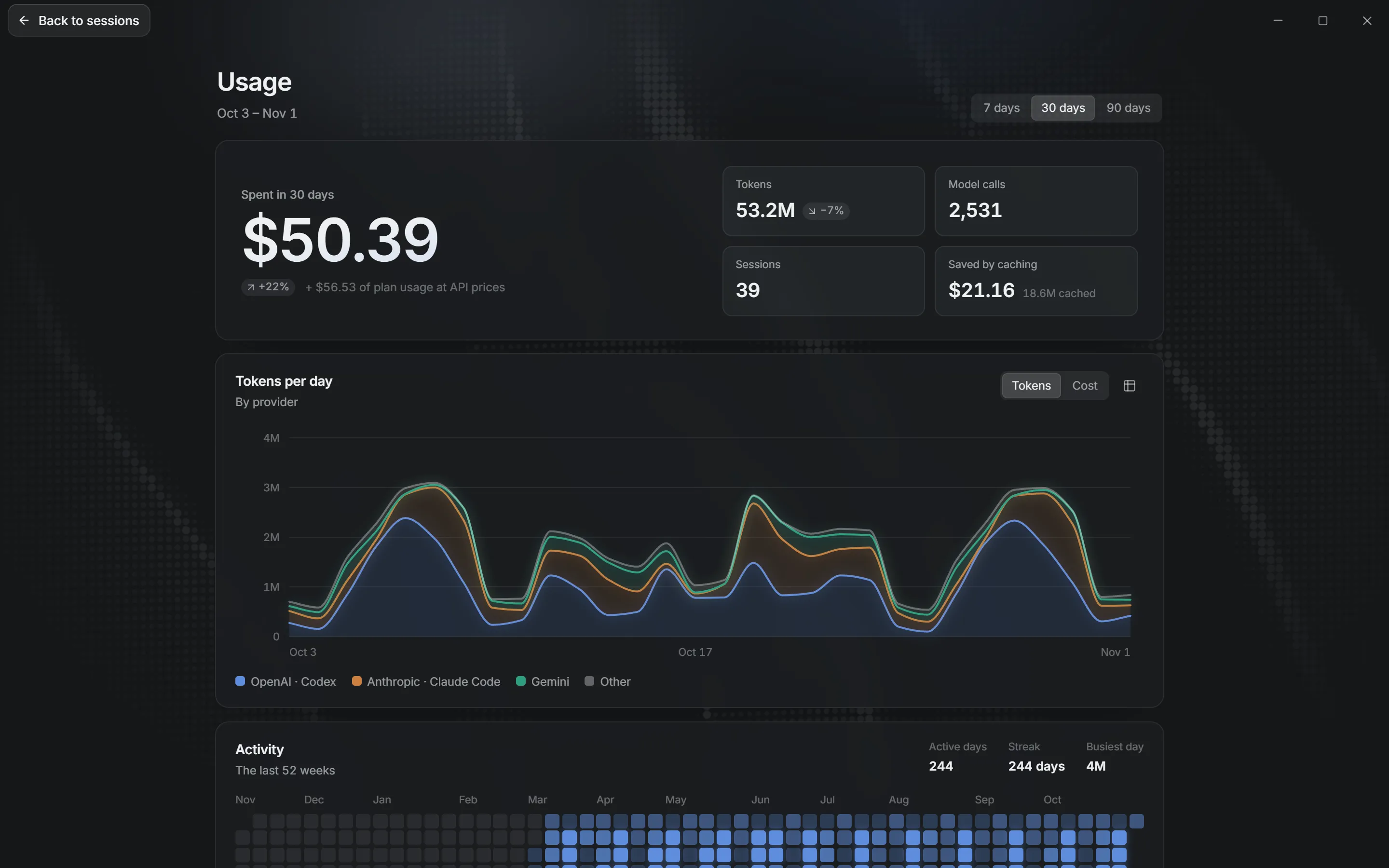
Usage tracking
Tokens and cost for Claude Code, Codex, OpenCode and API-key chats over 7, 30 or 90 days, by provider, model, project and session.
Plan limits in view
A bar in the composer shows what's left of your 5-hour or weekly plan limit.
Your own AI accounts
Melvu sells access to the app and doesn't include model usage. Bring a Claude or ChatGPT plan through each vendor's own agent, API keys billed by each provider, or local models that cost nothing to run.
Your code stays on your computer
The agent sends what it needs to the model provider you picked, under that provider's terms. melvu.app checks your account and license; it doesn't receive your code.
Windows, macOS and Linux
Installers are in your account as soon as you have a plan. Melvu tells you when an update is ready and installs it in place.
Windows
An x64 installer (.exe) for 64-bit Windows.
macOS
A disk image (.dmg) for Apple Silicon. Computer use needs macOS 14 or later. Intel Macs aren't supported.
Linux
An x64 AppImage that runs on most desktop distributions. Arm64 isn't supported yet.
Meet Melvu
Bring the agents you already use. Plan, run and check their work in one window.
Windows, macOS (Apple Silicon), Linux