Remote control for your coding agents, from your phone
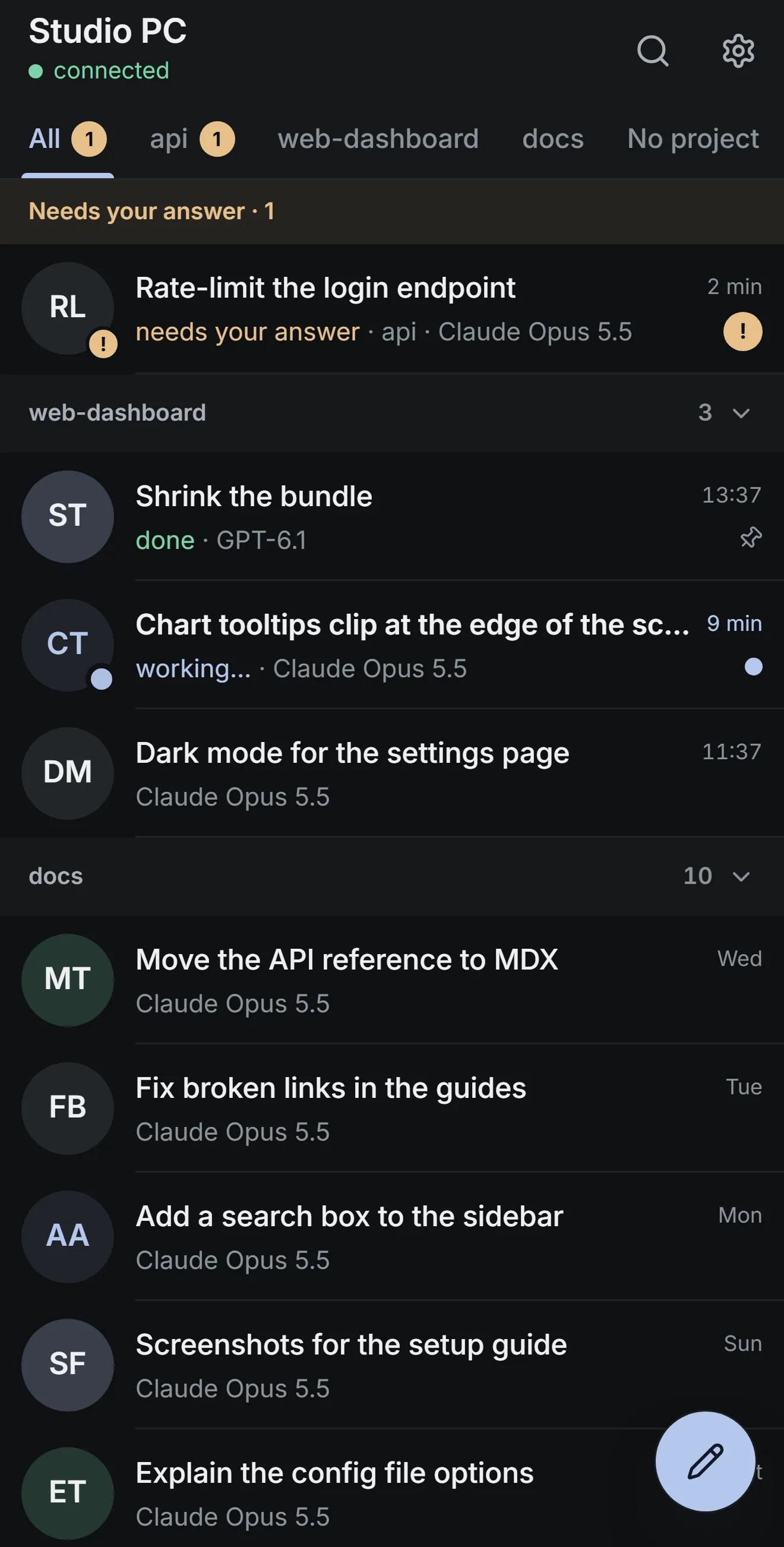
Melvu Remote puts Claude Code, Codex and every other agent in Melvu on your phone. Answer a tool call, start a task and follow the run while your computer does the work. It's a web app, end-to-end encrypted, with nothing to install from a store.
What you can do from your phone
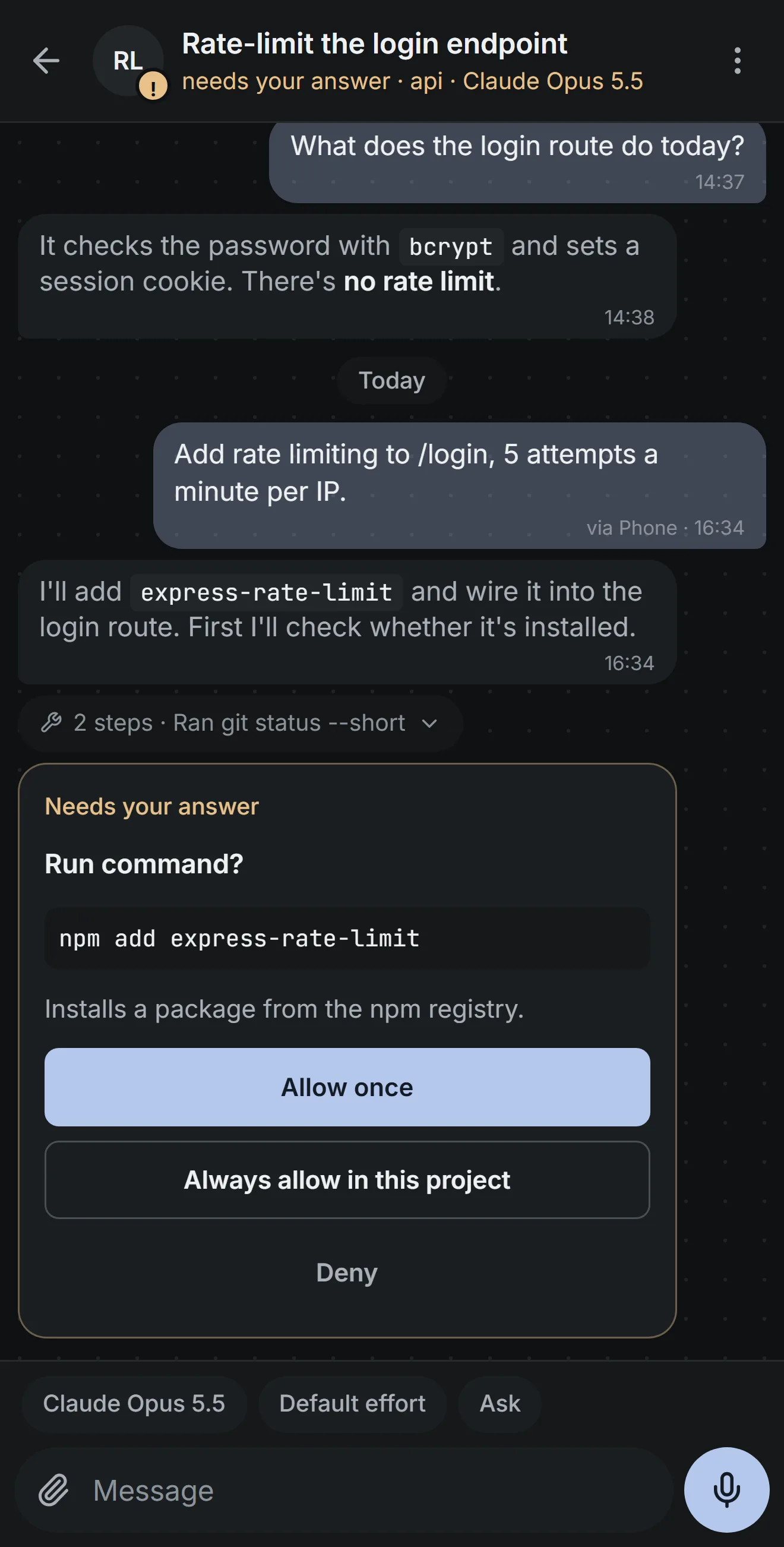
- Answer when it asks
- Allow once, Always or Deny a tool call, approve a plan or answer a question. A notification tells you one is waiting.
- Start new work
- Open a chat in any project, or none, and pick the model, effort and permission mode.
- Follow the run
- Progress arrives live with the steps folded into one line. Stop a run, or queue your next message.
- Check what changed
- See the files the agent changed and undo them, watch its browser live and read your terminals.
- Talk instead of typing
- Hold the mic to record, and your computer transcribes it with your dictation provider. You can send photos and files too.
- Marked in Melvu
- Messages you send from your phone carry a small via Phone tag in the desktop chat.
Set it up
- In Melvu, open Settings → Phone to show a pairing code.
- Scan it with your phone's camera and sign in with your Melvu account.
- Add Melvu Remote to your home screen, so it opens full screen like an app.
Each code works once and expires after two minutes. You can pair up to ten phones.
Private by design
Your phone and your computer talk through Melvu's relay, end-to-end encrypted: the relay passes sealed messages along and can't read them. A phone pairs only with a code from your computer and has to be signed in to the same Melvu account. Remove a phone in Settings → Phone and it's cut off at once.
Melvu Remote works only while Melvu is open on your computer and your Melvu access is active. Every action follows the chat's permission mode, and Full access asks you to confirm once per chat on each phone.
Frequently asked questions
Does Claude Code have its own remote control?
Yes. As of November 1, 2026, Anthropic's Remote Control continues a local Claude Code session from the Claude app or claude.ai/code on Pro, Max, Ultra, Team and Enterprise plans, and doesn't support API keys. Melvu Remote works across every agent in Melvu, including Codex, API-key and local-model chats, from a web app on any phone.
Does my computer need to stay on?
Yes. The agents run on your computer, and Melvu Remote connects only while Melvu is open and your Melvu access is active.
Who can control my agents?
Only phones you pair with a one-time code from Settings → Phone, signed in to your Melvu account. You can remove any phone there, and it's cut off at once.
Can I approve tool calls from my phone?
Yes. When an agent asks for permission, a notification brings you to a card with Allow once, Always and Deny.
Is there an app to install?
Not from a store. Melvu Remote is a web app at melvu.app/remote: add it to your home screen on iPhone or Android and it opens full screen like an app.